
Most mobile app decisions come down to a budget conversation. Build native for iOS, native for Android, and you are funding 2 separate engineering tracks: 2 codebases, 2 release cycles, 2 sets of platform-specific knowledge to maintain. For most products at most stages, that trade-off is not justified by the performance difference it used to deliver. That gap has closed.
React Native, Meta’s mobile framework built directly on React.js, reached a weekly download peak of 10.53 million on npm in June 2026. Its new architecture (Fabric renderer, TurboModules) ships as the default from version 0.76 onwards and has effectively closed the performance gap that once made cross-platform feel like a compromise. React Native now holds 45% of cross-platform mobile application projects in enterprise settings, and React.js itself is used by 46.9% of professional developers globally (Stack Overflow 2025), the largest share of any JavaScript library.
The question is no longer whether React.js can build production-quality mobile apps. It can. The question worth asking is: does it fit your product, your team, and your growth path? This guide answers that directly.
Key takeaways
- React.js for mobile app development works through React Native, which compiles to native iOS and Android components, not a web view, which means the React mobile app your team ships behaves like a native product to users.
- A single React JS mobile app codebase covering iOS and Android cuts initial build cost by 40-60% compared to maintaining 2 separate native codebases (Source: TechAhead, 2026).
- React.js development gives teams access to the largest JavaScript developer pool on the web, making hiring significantly more straightforward than for platform-specific native stacks.
- The React Testing Library provides a well-established testing approach focused on how users interact with the app rather than on implementation details, which leads to more resilient test suites.
- React.js is not always the right answer. For graphics-intensive games, apps that depend heavily on platform-specific APIs not yet covered by the React Native ecosystem, or products where absolute baseline performance is the primary constraint, native development remains the stronger choice.
- Choosing React.js development for a mobile product is a strategic decision, not just a technical one. It determines team structure, release velocity, and the long-term maintenance cost of the ReactJS application you ship.
What React.js mobile app development actually means
React.js is a JavaScript library for building user interfaces, originally created by Meta for the web. React Native is a separate framework, also created by Meta, that applies React.js’s component model and programming principles to iOS and Android development. When developers talk about using React.js for mobile app development, they mean using React Native: the same component-based architecture, the same state management patterns, largely the same developer tooling, applied to a mobile target rather than a browser.
This matters because the relationship between React.js and React Native is not simply “the web version and the mobile version.” React Native compiles your components into actual native iOS (UIKit) and Android (View) primitives. The JavaScript execution happens on a separate thread, communicating with the native layer. The user of your React mobile app is not running a web application inside a browser wrapper; they are using a product built from real platform components.
The new architecture (Fabric and TurboModules, now default from React Native 0.76 onwards) makes this even more direct. The old asynchronous bridge between JavaScript and native code has been replaced by the JavaScript Interface (JSI), which allows synchronous communication between the two layers. The result is faster startup, lower memory overhead, and smoother animations than the previous architecture delivered.
This is the foundation that makes ReactJS for mobile app development a viable choice for production, not a compromise.
10 reasons to choose React.js for mobile app development
1. One codebase, 2 platforms
The most immediate advantage of React JS mobile app development is that a single codebase produces working applications on both iOS and Android. Developers write React application logic once, and the framework handles the platform-specific rendering. This is not pixel-perfect visual mirroring across platforms: React Native uses platform-appropriate components (a Button on iOS looks like an iOS button; the same component on Android looks like a Material Design button). But the logic, the state management, the navigation, and the data layer are shared entirely.
The cost implication is direct. Building 2 native applications requires 2 teams with different skill sets, running separate release cycles. A single React JS mobile app codebase requires one team, ships to both platforms on the same timeline, and has one bug to fix instead of 2 when something breaks. Research from TechAhead (2026) puts the cost reduction at 40 to 60% compared to dual native development for most product categories.
2. Access to the largest developer pool in frontend
React.js is the most widely used JavaScript library in the world, with 46.9% professional developer adoption (Stack Overflow 2025). That adoption rate translates directly into hiring leverage. When you build your React mobile app on React.js development foundations, you are drawing from a talent pool that vastly outpaces Swift, Kotlin, or any other platform-specific mobile stack. For most engineering organisations, the availability of experienced React developers is a stronger constraint on delivery speed than any technical consideration.
This also means that a web product team with React.js development experience can contribute to a React Native mobile project without learning an entirely new language. The learning curve from React web to React Native is meaningful but not steep: the same component thinking, the same hooks, the same state management patterns apply.
3. Near-native performance with the new architecture
The performance criticism of React Native was historically valid. The old bridge architecture introduced latency in every interaction that required communication between JavaScript and native code. That criticism no longer applies at the same level. React Native’s new architecture, now at 80% adoption across the ecosystem, uses the JSI to enable synchronous native calls and dramatically reduces the overhead of the JavaScript-to-native boundary.
For a ReactJS application in most categories (productivity tools, data-driven applications, e-commerce platforms, SaaS mobile interfaces, content consumption apps), the performance difference between React Native and a native build is no longer perceptible to users. The applications where it remains relevant are those with intensive real-time graphics rendering, complex animation orchestration at 60+ frames per second, or continuous camera processing. Outside those categories, the performance trade-off has largely closed.
4. Code reusability across web and mobile
Teams building both a web product and a React mobile app on the same React.js stack share more than just the programming language. Business logic, API integration code, data models, state management libraries (Zustand, Redux, Jotai), form validation schemas, and utility functions can all be shared directly between a React web application and a React Native mobile project.
This is the architectural advantage that matters most at scale. As the product grows, the surface area of shared code grows with it. A change to a core data model propagates to both platforms simultaneously. A new API integration is written once. The test coverage written for the React application logic applies equally on both platforms.
5. Component-based architecture that scales
React.js development is built around the component model: self-contained, reusable units of interface and logic that can be composed into complex products. In React JS mobile app development, this model is especially valuable because mobile UIs tend to be highly repetitive: lists, cards, form fields, modals, navigation elements, and action sheets appear across many screens with slight variations.
A well-structured ReactJS application component library allows teams to build new screens by composing existing components rather than writing new code. This accelerates development velocity on all features beyond the first few and significantly reduces the risk of visual inconsistency across the product. A button styled correctly in the component library is styled correctly on every screen that uses it.
6. Virtual DOM for efficient rendering
React.js uses a virtual DOM (Document Object Model) to manage updates efficiently. Rather than re-rendering the entire interface when state changes, React calculates the minimum set of changes required and applies only those to the real native view layer. In a React mobile app, this means that user interactions, data refreshes, and state transitions are processed efficiently without unnecessary work on the UI thread.
For React JS mobile app development at the enterprise scale (dashboards, real-time data feeds, complex list views with frequent updates), this rendering efficiency is what keeps the application responsive under load. It is not a feature you notice when it is working; you notice its absence when it is not.
7. Strong ecosystem and React libraries
The React Native ecosystem includes thousands of libraries that cover almost every mobile development requirement: navigation (React Navigation, Expo Router), animation (React Native Reanimated, Moti), camera and media (React Native Vision Camera), maps, push notifications, biometric authentication, Bluetooth, and offline storage. Most major third-party SDKs (analytics, payments, customer support tools) publish official React Native wrappers.
Beyond mobile-specific React libraries, the broader JavaScript ecosystem is available for any logic that does not touch the native layer. This depth of library coverage means that React js application development teams rarely need to build from scratch. The starting point is almost always a well-maintained library with active community support.
8. React Testing Library for quality assurance
Testing is where many cross-platform frameworks historically fell short. The React Testing Library provides a testing approach for React applications and React Native applications that focuses on user behaviour rather than implementation details. Instead of testing the internal state of a component, tests written with the React Testing Library verify what a user sees and what happens when they interact with the interface.
This approach produces more resilient tests. When you refactor the internal implementation of a React application component, tests that query by accessible role or visible text continue to pass. Tests that query by internal component structure break. The React Testing Library makes the former pattern the default, which means test suites survive refactors that would break a more tightly coupled approach. For a mobile product that will be actively developed over multiple years, this matters significantly.
9. Open-source and cost-effective
React.js and React Native are open-source, maintained by Meta and a large active community. There are no licensing fees for the framework, the tooling, or the core library ecosystem. The cost of React JS mobile app development is the cost of the team and the infrastructure, not a software licensing overhead. This is particularly relevant for startups and scale-ups evaluating technology choices where every cost centre is scrutinised.
The open-source nature also means that framework limitations are not permanent. The community has consistently delivered solutions to gaps in the React Native ecosystem (camera, Bluetooth, complex animations) that were once cited as blockers for native-quality mobile products. The pace of community contribution to React libraries has accelerated alongside adoption.
10. Rapid iteration and hot reloading
React.js development offers fast refresh, which reloads only the changed components in the running application during development, preserving application state. For a React mobile app in active development, this removes the compile-restart-navigate cycle that slows native development. A developer changing a button style, tweaking an animation, or fixing a layout sees the change reflected in the running simulator in under a second.
Over the course of a development sprint, this iteration speed compounds. Teams building React apps spend less time waiting and more time building. It also makes the exploration of design variations faster: trying 3 different treatments for a screen component takes minutes rather than the repeated build cycles that native development requires.
Key React.js features that shape mobile app quality
| React.js feature | How it works | Impact on mobile development |
| Virtual DOM | Calculates minimum UI updates before rendering | Smooth, efficient rendering on device |
| Declarative UI | Describes what the UI should look like for a given state | Reduces complexity of state-driven interfaces |
| JSX | HTML-like syntax compiled to native component calls | Familiar, readable interface code |
| One-way data binding | Data flows parent to child via props | Predictable state management, easier debugging |
| Hooks | Functions that add state and lifecycle to function components | Cleaner component architecture |
| Concurrent mode | Renders updates without blocking the main thread | Responsive UI under heavy data load |
| React Testing Library | User-behaviour-focused testing utilities | Resilient test suites that survive refactors |
Advantages and limitations of React.js
React.js for mobile app development has clear strengths, and it has real limits. Both matter when you are making a technology decision that will shape your product for years.
The advantages are primarily structural. A single codebase delivers working applications on iOS and Android simultaneously, which cuts build cost by 40 to 60% compared to dual native development. Business logic, state management, API integration code, and data models are shared across platforms, meaning changes propagate once rather than twice. The React.js development talent pool is the largest in frontend software, making hiring more straightforward than for Swift or Kotlin. Fast refresh accelerates iteration during development. The new architecture (Fabric, JSI) has closed the performance gap that once made React Native feel like a compromise for anything serious.
The limitations are specific rather than categorical. React Native’s layout system differs from CSS in ways that catch web developers off guard: there is no cascade, no display: block, and no position: fixed. Debugging native crashes requires familiarity with both JavaScript tooling and platform-specific debuggers (Xcode, Android Studio), which adds friction when things break at the native boundary. When a required device capability does not have a stable React Native library, a custom native module is needed, which pulls Swift or Kotlin skills back into the project. And the quality of third-party React libraries varies: some are well-maintained, some are not, and the difference is not always visible until a React Native version upgrade breaks a dependency.
The table below summarises the trade-off directly:
| Dimension | Advantage | Limitation |
| Cost | 40-60% lower build cost vs dual native | Higher setup than a single-platform web app |
| Performance | Near-native with new architecture (JSI, Fabric) | GPU-heavy and intensive animation use cases still favour native |
| Developer pool | Largest JS developer community globally | React Native-specific depth is narrower than general React.js |
| Code sharing | 80-90% shared logic across iOS, Android, and web | 10-20% of code still requires platform-specific treatment |
| Ecosystem | Thousands of libraries; major SDKs publish React Native wrappers | Library quality varies; some packages lag behind React Native versions |
| Testing | React Testing Library supports resilient, behaviour-focused tests | Native module testing requires platform-specific tooling |
| Iteration speed | Fast refresh for instant UI feedback during development | Changes to native code require a full rebuild |
| Maintenance | Single codebase, one release cycle | Expo vs bare React Native decision adds early architectural complexity |
How React.js handles cross-platform development in practice
The cross-platform promise of React JS mobile app development is real, but it comes with an important clarification. Not all code is shared equally. The split tends to look like this in a well-structured React application:
Business logic, API calls, state management, navigation structure, and data transformation code: typically 80 to 90% shared between iOS and Android. Platform-specific visual components (sheets, pickers, date selectors), permission handling, and platform-specific animations: these are often written with conditional platform detection (Platform.OS === ‘ios’) or using platform-specific file extensions (Component.ios.js, Component.android.js). The result is not 100% code sharing, but it is substantially more than 50%, and it is enough to make a single team with a single codebase viable for most products.
Where teams run into friction is in pushing React Native into use cases it was not designed for: heavy 3D rendering, intensive background processing, or deep integration with platform-specific APIs that do not yet have stable React Native wrappers. These are the cases where native development remains the stronger choice. For everything else, which is the vast majority of mobile products shipped today, React JS mobile app development covers the requirement.
What good React.js mobile development looks like in practice
At Spark Eighteen, the React JS development approach on the System Two Security engagement illustrates what a well-structured React application delivery looks like. System Two Security, a Palo Alto-based cybersecurity company, needed a React frontend rebuilt to the quality standard their product deserved: a clean, well-tested interface that would hold up in a high-scrutiny enterprise sales environment. The team built Cypress QA automation directly into the delivery process and structured the Azure DevOps pipeline to enforce release confidence before deployment. The result was a React application where quality was a property of the delivery process, not something checked at the end.
The lesson that applies directly to React JS mobile app development: the quality of a React mobile app is determined far more by the development process than by any single framework feature. Component architecture, test coverage via the React Testing Library, state management discipline, and CI/CD pipeline design are what separate a React app that scales from one that becomes difficult to maintain. Any IT software company can scaffold a React Native project. The differentiation is in the engineering rigour applied through the build.
React.js development cost
The cost to build a React JS mobile app is shaped by 5 primary variables: the complexity and feature scope of the application, the number of platforms targeted, the degree of custom native module development required, the team’s existing React.js expertise, and the ongoing maintenance obligations after launch.
On platform cost alone, the numbers are clear. A React JS mobile app targeting both iOS and Android from a single codebase typically costs 40 to 60% less to build than 2 separate native applications (TechAhead, 2026). This saving comes from 3 sources: one team instead of two, a single release cycle instead of parallel ones, and shared QA and debugging effort across platforms.
The cost factors that push a React JS mobile app project upward:
Custom native modules. When a React Native library does not exist for a required device capability, a developer with native iOS or Android skills must write a custom module. This adds specialised cost to what would otherwise be a JavaScript-only build.
Complex animations and gesture-driven interfaces. Highly polished, interaction-heavy UIs with complex animation choreography require careful implementation with React Native Reanimated and, in some cases, native driver integration, which adds development time beyond standard screen-building.
Enterprise integrations. Connecting a React application to legacy ERP systems, hardware peripherals (Bluetooth scanners, payment terminals), or proprietary enterprise APIs adds scope that standard React libraries may not cover out of the box. Custom bridging work is often needed.
Compliance and security requirements. Healthcare (HIPAA), financial services (PCI DSS), and government deployments add engineering overhead for encryption, audit logging, and access controls. These are non-negotiable in regulated industries and must be scoped explicitly.
As a practical benchmark, a well-scoped React Native application with standard functionality typically takes 3 to 6 months for a team of 3 to 5 developers. Enterprise applications with complex integrations and compliance requirements run 9 to 18 months. Ongoing maintenance, including React Native version upgrades, dependency updates, and OS compatibility patches, typically runs at 15 to 20% of the initial build cost per year.
React.js development challenges
React.js for mobile app development is a strong and well-validated choice. It is also not without friction. Understanding these challenges before the build begins is how you design around them rather than discover them at the wrong time.
The layout system is different from the web. React Native uses Flexbox for all layout, but its implementation differs from CSS Flexbox in meaningful ways. There is no CSS cascade, no display: block, no position: fixed, and no browser box model. Developers moving from React web development consistently underestimate the adjustment required. UI-heavy screens that look straightforward often take longer than estimated until the team has internalised the React Native layout model.
Debugging native issues is slower. When a crash originates in native code (a third-party library’s native module, a platform-specific API, or the React Native runtime itself), the JavaScript stack trace often does not point clearly to the cause. Resolving it requires familiarity with both JavaScript tooling and the native debugging environments for iOS (Xcode) and Android (Android Studio). Teams that are purely JavaScript-focused can find native debugging a significant time sink.
Third-party library quality varies. The React Native ecosystem is large, but it is not uniformly maintained. Popular libraries can become unmaintained without notice. Libraries built for the old bridge architecture may not be updated for the new architecture. Teams that rely on third-party packages without auditing their maintenance status and React Native version compatibility regularly encounter broken dependencies during version upgrades.
The Expo versus bare React Native decision matters early. Expo provides a managed development environment that simplifies setup and removes the need for native build tooling. Bare React Native gives full access to native APIs and custom native modules but requires Xcode and Android Studio to be configured. Choosing Expo when the product will eventually need capabilities outside Expo’s managed API surface creates migration work that could have been avoided. Getting this decision right at the start requires understanding the product’s native requirements before development begins.
Hot reload does not cover native changes. Fast refresh is excellent for UI iteration but does not apply to changes in native modules, native configuration files, or app manifest entries. Any change that touches native code requires a full rebuild, which in a React Native project takes several minutes. Teams that underestimate the frequency of native changes during early development can find their iteration speed lower than expected.
When React.js is the right choice for mobile
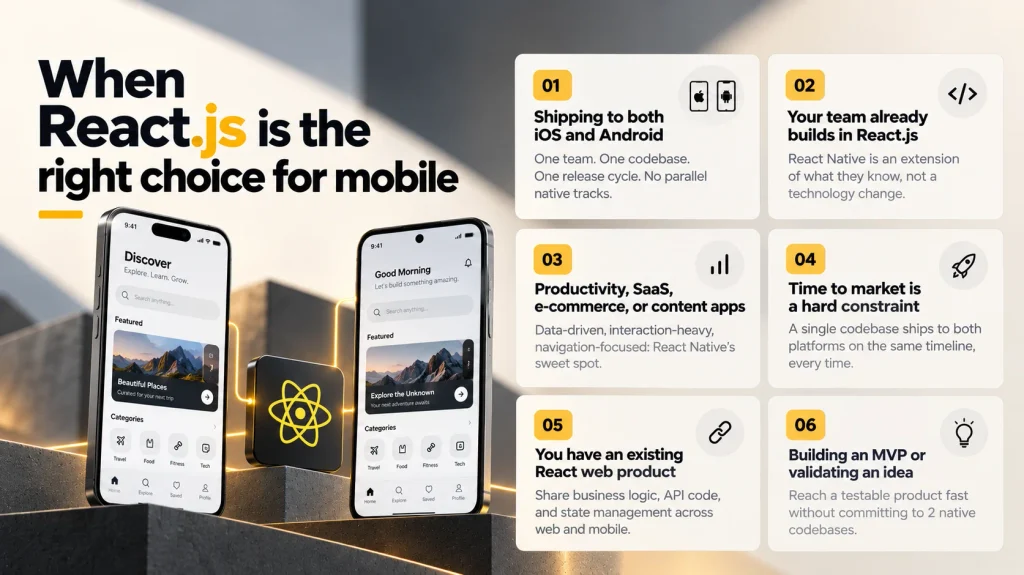
React.js is the right choice for mobile app development when several conditions align. This is not a checklist to justify using it regardless; it is the honest profile of the product and team context where React JS mobile app development delivers its strongest outcomes.
You are shipping to both iOS and Android. If your product must cover both platforms and you cannot justify 2 separate native engineering tracks, a single React Native codebase is the most practical path. One team, one codebase, one release cycle.
Your team already builds in React.js. If your web product runs on React.js development foundations, the move to React Native is an extension of existing expertise rather than a full technology change. The same component thinking, hooks, state management patterns, and JavaScript tooling apply. The shared knowledge compounds as the team builds mobile muscle on a familiar base.
Your app is in the productivity, SaaS, e-commerce, or content category. These categories represent the majority of enterprise and commercial mobile applications. They are data-driven, interaction-focused, and navigation-heavy: precisely what React JS mobile app development handles best. A ReactJS application in any of these categories benefits from the full React Native ecosystem without running into its edges.
Time to market is a hard constraint. A single codebase ships to 2 platforms on the same timeline. When launch dates are fixed and the team cannot run parallel native builds, this is a decisive structural advantage.
You have an existing React web product. The ability to share business logic, API integration code, validation schemas, and state management between a React web application and a React Native mobile project means that adding a mobile product to an existing React.js codebase is faster and less expensive than starting from scratch on a separate native stack.
You are building an MVP or validating a product idea. React JS mobile app development is well-suited to MVPs. The shared codebase, large developer pool, and rich library ecosystem allow teams to reach a testable product quickly without committing to the long-term maintenance overhead of 2 native codebases.
When React.js is not the right choice for mobile
ReactJS for mobile app development is not universally the correct answer. The cases where native development has a clear advantage are specific, but they are real.
Games and graphics-intensive applications that require direct GPU access, frame-by-frame rendering control, or integration with game engines (Unity, Unreal) are better served by native code. Complex augmented reality (AR) experiences that demand tight integration with ARKit or ARCore at their lowest API levels are similarly constrained. Applications where background processing (audio, location, sensor data) must run under strict battery and memory constraints sometimes benefit from the direct control that native code provides.
Outside these cases, the performance gap that once justified native development has closed to the point where it is not the deciding factor for most products. The deciding factors are team composition, time to market, and whether the product will eventually need a web presence alongside the mobile app (in which case the shared React.js development investment compounds further).
Conclusion
React.js for mobile app development has moved from a considered trade-off to a mainstream production choice. The new architecture resolves the performance limitations that were its most substantive weakness. The shared codebase advantage is well-documented. The developer ecosystem is the deepest in frontend software. And the React Testing Library provides a testing philosophy that keeps mobile applications maintainable over time.
The decision to build a React mobile app is ultimately a product and team decision as much as a technical one. If your team builds on React.js, if you are shipping to both iOS and Android, and if your product does not fall into the narrow category of graphics-intensive or deeply platform-specific applications, React.js development is the most defensible choice available for cross-platform mobile development in 2026.
If you are scoping a mobile product and want to work through whether React.js development is the right fit for your specific use case, write to us at coffee@sparkeighteen.com.