
How frontend technologies, performance decisions, and emerging trends in UI functionality in web development directly shape the experiences users remember, trust, and return to.
Most conversations about user experience start with design: colour palettes, typography choices, wireframes, and the placement of buttons. These things matter, but they are not where user experience is ultimately determined. User experience is determined at the point where design meets code, where a prototype becomes a live product that loads in a browser, responds to a tap, shifts on a small screen, and either earns a user’s trust or quietly loses it.
That point is frontend development. The role of frontend in UX is not decorative. It is structural. A beautifully designed interface that loads in six seconds, shifts layout unexpectedly, or fails on a mid-range Android device is not a good user experience regardless of how well the design was considered. Conversely, a product with modest visual ambition that loads instantly, responds to every interaction without lag, and works consistently across every screen size will earn user trust in ways that more polished but poorly built interfaces do not.
The commercial evidence for this is well established. Google’s research on page speed and user behaviour found that a one-second delay in mobile page load times can reduce conversions by up to 20%. The full study is available at web.dev/case-studies. For any product team, that number reframes frontend development and user experience as a direct revenue question, not just an engineering quality concern.
This guide covers the role of frontend development in user experience from five angles: the performance fundamentals that determine how users perceive speed; the frontend technologies for UX that shape what is buildable; the accessibility and responsiveness decisions that define who the product works for; the UI functionality in web development that creates genuine engagement; and the frontend UX trends that are reshaping what users expect in 2026.
Key Takeaways
- Frontend development and user experience are inseparable: design defines intent, but frontend code determines whether that intent is delivered to every user, on every device, every time.
- Performance is a UX decision. Load time, interaction responsiveness, and visual stability are measurable, user-facing qualities that directly affect engagement and conversion.
- The choice of frontend technologies for UX is a product decision, not just a technical preference: different frameworks make different trade-offs between performance, developer experience, and capability.
- Accessibility and responsiveness are not add-ons. They are the conditions under which a product works for its full potential audience.
- AI in UX design is shifting from novelty to expectation: users increasingly encounter personalised, adaptive interfaces and calibrate their expectations accordingly.
- Frontend UX trends in 2026 favour performance, reduced JavaScript overhead, and interfaces that feel native regardless of the underlying technology.
1. Performance as a UX Discipline: Why Speed Is Not an Engineering Detail
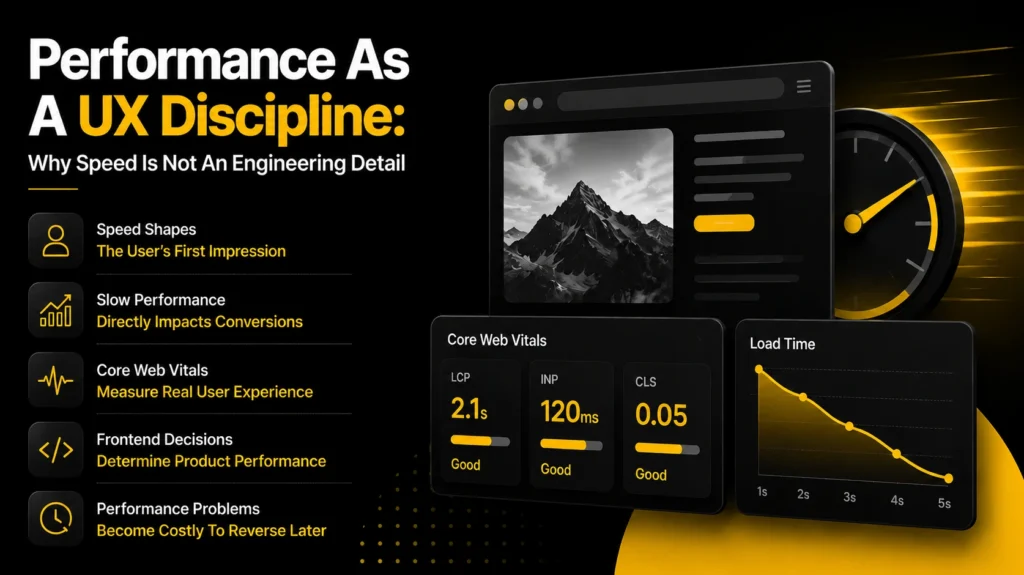
The most common mistake in product development is treating performance as a post-launch optimisation rather than a design and engineering constraint from the start. By the time a product is live and users are bouncing from slow pages, the architectural decisions that produced the slowness are often expensive to reverse.
Google’s Core Web Vitals, introduced as ranking signals in 2021, formalised the measurement of user-perceived performance into a small set of metrics that every frontend team should understand and track. The impact of the frontend on user experience is nowhere more direct than in these numbers.
| Core Web Vital | What It Measures | Good Threshold | UX Impact |
| Largest Contentful Paint (LCP) | How fast the main content loads | Under 2.5 seconds | First impression of speed |
| Interaction to Next Paint (INP) | Responsiveness to all user interactions | Under 200ms | Perceived app snappiness |
| Cumulative Layout Shift (CLS) | Visual stability during page load | Under 0.1 | Trust and readability |
| First Contentful Paint (FCP) | First visible element rendered | Under 1.8 seconds | Perceived load start |
| Time to First Byte (TTFB) | Server response speed | Under 800ms | Backend + CDN efficiency |
(Source: Google Core Web Vitals documentation and thresholds)
The reason these metrics matter beyond search ranking is that they measure the user’s actual experience of the product rather than abstract technical benchmarks. A page with a largest contentful paint above 4 seconds is a page where the user has waited, looked at a mostly blank screen, and formed an impression of the product before a single interaction has occurred. That impression is not neutral.
Research from Portent found that a website that loads in one second converts three times better than one that loads in five seconds, with each additional second of load time reducing conversions by a further 4.42%. Data from their 2023 site speed and conversion study is available at portent.com/blog/analytics/research-site-speed-hurting-everyones-revenue.
The Frontend Decisions That Determine Performance
Performance problems in frontend development and user experience almost always trace back to one of four causes:
- Excessive JavaScript bundle size: shipping more JavaScript than the current page needs slows the browser’s parse and execution time, delaying the point at which the interface becomes interactive. Code splitting, lazy loading, and tree shaking are the standard techniques for reducing bundle size, and they are most effective when applied from the start of a project rather than retrofitted.
- Unoptimised images: images are the largest single contributor to page weight in most web products. Serving images in modern formats such as WebP or AVIF, sizing them correctly for the viewport, and loading them lazily below the fold are practices that consistently produce significant LCP improvements.
- Render-blocking resources: CSS and JavaScript loaded in the document head can block the browser from rendering any content until those resources are downloaded and processed. Deferring non-critical scripts and inlining critical CSS reduces the time to first visible content.
- Missing or inadequate caching strategy: resources that are re-fetched on every page load rather than served from a cache add unnecessary network latency to every user visit. A well-configured CDN and appropriate cache headers address this at the infrastructure level, but the frontend team’s decisions about how assets are named and versioned determine whether caching works correctly.
Performance principle: The role of frontend in UX is most visible when performance is poor and most taken for granted when it is good. Users notice a slow page immediately and consciously. They rarely notice a fast one, but their behaviour, return rate, and conversion all reflect it.
2. Common Frontend Technologies and Their UX Trade-offs
The choice of frontend technologies for UX is one of the most consequential early decisions in any product build. Different frameworks, libraries, and architectural patterns make different trade-offs between performance, flexibility, developer experience, and the type of UI functionality in web development they support most naturally.
There is no universally correct choice. The right technology for a real-time collaborative editing tool is not the right technology for a marketing site, and the right technology for a large enterprise dashboard is not the right technology for a startup building its first MVP. The common frontend technologies below should be evaluated against the specific UX requirements of the product, not against general popularity.
| Technology | Primary Role | UX Strength | Learning Curve | Best Used For |
| React | UI component library | Dynamic, stateful interfaces | Medium | SPAs, dashboards, complex apps |
| Vue.js | Progressive JS framework | Gentle learning curve, reactivity | Low–Medium | CMSs, marketing sites, portals |
| Angular | Full MVC framework | Structured enterprise UX | High | Large-scale enterprise apps |
| Svelte | Compiled JS framework | Minimal bundle, fast load | Low–Medium | Performance-critical products |
| Next.js | React + SSR/SSG | SEO, fast initial paint | Medium | Content sites, e-commerce, SaaS |
| CSS / Tailwind | Styling layer | Responsive, consistent design | Low–Medium | All product types |
(Source: Stack Overflow Developer Survey 2024)
The Server-Side Rendering Consideration
One of the most significant architectural decisions in frontend development and user experience is whether to render pages on the server, on the client, or with a hybrid approach. This decision has direct UX consequences:
- Client-side rendering (CSR): the browser downloads a largely empty HTML document and builds the page in JavaScript. The result is fast navigation between pages once loaded, but a slower initial load and poor SEO performance without additional configuration. React without a meta-framework is the most common CSR approach.
- Server-side rendering (SSR): the server builds the full HTML for each request and sends it to the browser. The user sees content faster because the browser renders HTML immediately rather than waiting for JavaScript to execute. Next.js, Nuxt.js, and SvelteKit all support SSR. The trade-off is higher server infrastructure complexity.
- Static site generation (SSG): pages are built at deployment time as static HTML files. These load extremely fast and scale easily via a CDN, but they require a rebuild to reflect content changes. The right choice for documentation, marketing sites, and content-heavy products with infrequent updates.
For most SaaS products, a hybrid approach using a framework like Next.js or Nuxt.js produces the best balance: server-side rendering for pages where initial load speed and SEO matter, client-side rendering for highly interactive application views where the page is already loaded before the user interacts with it.
3. Accessibility and Responsiveness: The UX That Works for Everyone
Accessibility and responsiveness are the two aspects of the impact of frontend on user experience that most teams underinvest in at the early stage, typically because neither is visible to the team members building the product. Both become very visible to users who need them and do not find them.
Accessibility in frontend development means building interfaces that work for users with a wide range of abilities: visual impairments, motor difficulties, cognitive differences, and hearing impairments. The Web Content Accessibility Guidelines (WCAG) provide a structured framework for measuring accessibility compliance, with WCAG 2.1 AA being the standard referenced by most UK legal and procurement frameworks.
According to the UK’s Office for National Statistics, approximately 16 million people in the UK report having a disability. The Purple Pound, representing the spending power of disabled people and their households, is estimated at over $366 billion annually. The ONS data is available at ons.gov.uk/peoplepopulationandcommunity/healthandsocialcare/disability. Every accessibility failure in a frontend is a barrier to a portion of that population.
The Frontend Practices That Determine Accessibility
- Semantic HTML: using the correct HTML elements for their intended purpose, headings for headings, buttons for interactive controls, lists for lists, ensures that screen readers and other assistive technologies can interpret the page correctly. Replacing semantic elements with styled divs is one of the most common and most damaging accessibility failures in modern frontend development.
- Keyboard navigation: every interactive element in the product should be reachable and operable using a keyboard alone. Tab order should follow a logical reading sequence. Focus states should be clearly visible, not removed because they conflict with the design aesthetic.
- Colour contrast: text and interactive elements need sufficient contrast against their backgrounds to be readable by users with low vision. The WCAG AA standard requires a contrast ratio of at least 4.5:1 for normal text and 3:1 for large text.
- ARIA attributes: Accessible Rich Internet Application attributes provide screen reader users with information about dynamic interface elements that cannot be conveyed through HTML semantics alone. Modal dialogues, custom dropdowns, and live-updating content regions all require ARIA to be accessible.
- Responsive design: interfaces built with CSS media queries, flexible grid systems, and fluid typography that adapt correctly to any screen size ensure that the product delivers a usable experience on the full range of devices users actually own, not just the devices the development team tests on.
4. UI Functionality in Web Development: Where Engagement Is Built
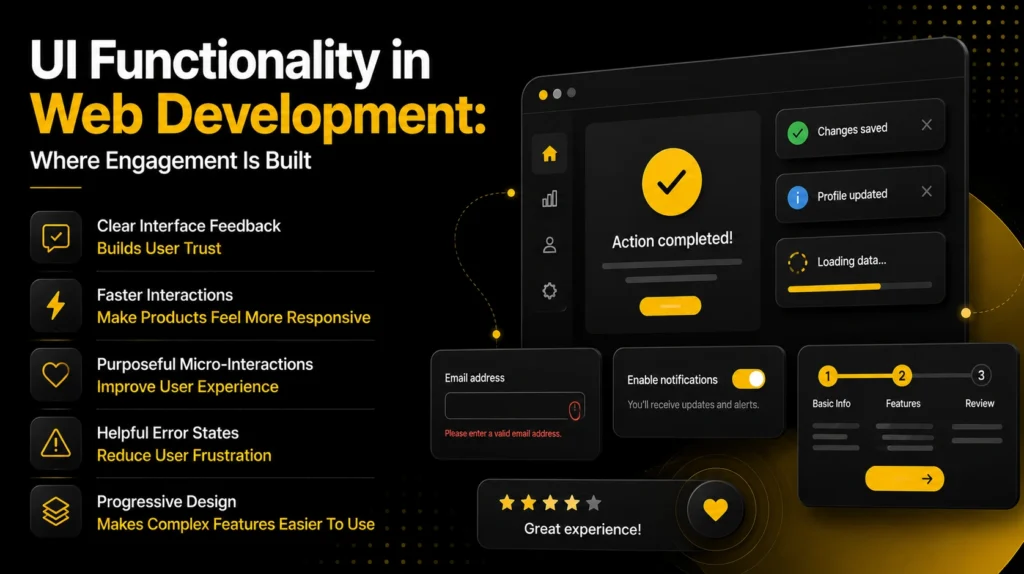
Beyond performance and accessibility, the role of frontend development in user experience extends into the specific UI functionality in web development that determines how engaging, intuitive, and satisfying a product feels to use. This is the layer of frontend development that is hardest to quantify but most directly felt by users.
The interface behaviours that most consistently improve user engagement are not the most visually elaborate ones. They are the ones that reduce friction, provide clear feedback, and make the user feel in control of what is happening. Good UI functionality in web development is often invisible: it is the form that remembers what a user typed when they navigate away and return, the button that provides immediate visual feedback when tapped, the page that does not jump when new content loads above existing content.
The Frontend Patterns That Build User Trust
- Optimistic UI updates: updating the interface immediately in response to a user action, without waiting for the server to confirm the action, makes interactions feel instant. The pattern requires careful error handling for the cases where the server action fails, but when implemented correctly, it is one of the most effective ways to improve perceived responsiveness.
- Skeleton loading states: displaying placeholder shapes in the layout of expected content while data is loading, rather than a spinner or blank space, reduces the perceived wait time and prevents layout shifts when content arrives. Research from Facebook’s design team found that skeleton screens are perceived as faster than spinners even when the actual load time is identical.
- Micro-interactions and transitions: small, purposeful animations that provide feedback on user actions, confirm state changes, or guide attention; reduce cognitive load and make the interface feel more responsive. The key word is purposeful: animations that serve no informational purpose add cognitive overhead rather than reducing it.
- Error states that explain and guide: error messages that describe what went wrong and what the user should do next are a frontend UX decision that most teams underinvest in. Vague error messages like ‘something went wrong’ erode trust. Specific, actionable messages maintain it.
- Progressive disclosure: revealing complexity gradually rather than presenting all options simultaneously reduces cognitive load for new users while preserving access to advanced features for experienced ones. This is a layout and interaction design decision, but it is implemented in frontend code.
Each of these patterns reflects the same underlying principle: the impact of frontend on user experience is most positive when the interface responds to the user’s actions clearly, quickly, and without surprises. The frontend developer’s job is not to implement a design spec. It is to ensure that the designed behaviour is delivered consistently, at speed, under real-world conditions.
5. Frontend UX Trends in 2026: What Is Shaping User Expectations Now
Frontend UX trends shift faster than most other areas of product development, partly because browser capabilities evolve continuously and partly because users carry their experiences from one product to another. What felt innovative in a product two years ago is now the expectation in every product in its category.
The trends that are most directly shaping what users expect from frontend development and user experience in 2026 are:
AI in UX Design: Personalisation and Adaptive Interfaces
AI in UX design has moved well beyond chatbots and search suggestions. The most significant current application is adaptive interfaces: products that adjust their layout, content, and navigation based on observed user behaviour rather than presenting every user with the same static experience. Spotify’s home screen, which reorganises itself based on listening patterns, and Netflix’s personalised thumbnails, which change based on viewing history, are consumer examples of a pattern now appearing in B2B SaaS products at the feature level.
According to McKinsey’s 2025 report on the state of AI, companies that have embedded AI in their product experiences report increases in user engagement and satisfaction scores of 10 to 25% on average. The full report is available at
For frontend developers, AI in UX design means implementing interfaces that can respond to model outputs in real time: streaming text responses that appear word by word rather than all at once; interfaces that reorganise themselves without full page reloads; and personalisation that feels natural rather than intrusive.
Reduced JavaScript and the Move Toward Native-Like Web
One of the most consequential frontend UX trends of the past two years is the move away from large JavaScript frameworks for pages where their overhead is not justified. The rise of frameworks like Astro, which ships zero JavaScript by default and adds it only where interactivity is required, reflects a broader shift in how the industry thinks about the performance cost of frontend complexity.
The Web Platform itself has absorbed many of the features that previously required JavaScript libraries: native CSS scroll animations, the View Transitions API for page transitions, the CSS Container Queries specification for component-level responsive design, and the Popover API for accessible overlay components. These capabilities, now supported in all major browsers, allow frontend developers to deliver richer experiences with less JavaScript overhead, directly benefiting the performance metrics that drive user experience quality.
Design Systems and Component Consistency
Future trends in frontend UX increasingly centre on consistency rather than novelty. Users who encounter the same interaction pattern behaving differently across different parts of a product lose trust in the interface. Design systems, which define a shared library of components with consistent behaviour, appearance, and accessibility characteristics, are now a standard practice in product teams of any meaningful size.
The frontend UX trends that design systems support are: faster delivery of new features (components are assembled rather than built from scratch), consistent accessibility compliance (accessible components built once benefit every page that uses them), and coherent user experience across the product regardless of which team built which section.
- Radix UI and Headless UI provide accessible, unstyled component primitives that teams style to their own design language, combining accessibility compliance with full visual flexibility.
- Storybook has become the de facto standard for developing, documenting, and testing UI components in isolation, making design systems maintainable as products grow.
- Figma’s Dev Mode and component variables have reduced the gap between design and implementation, decreasing the time between a design decision and a coded component that accurately reflects it.
Final Thoughts
Frontend development and user experience are not separate disciplines that hand off to each other at a defined boundary. They are intertwined at every level of product delivery, from the first millisecond of a page load to the last interaction in a complex workflow. The role of frontend in UX is to ensure that the experience a designer intended is the experience a user receives, consistently, on every device, for every user.
The frontend technologies for UX available in 2026 give teams more capability to deliver excellent user experiences than at any point in the web’s history. The frameworks are more capable, the browser platform is more powerful, and the tooling for measuring and improving performance is more accessible. What does not change is the fundamental principle: the impact of frontend on user experience is determined by the quality of the decisions made at every layer, from architecture to animation, from accessibility to performance.
Frontend UX trends will continue to shift as browser capabilities evolve, as AI in UX design matures from novelty to expectation, and as user expectations rise in response to the best products in every category. The teams that stay ahead of those trends are not necessarily the ones that adopt the newest technology earliest. They are the ones that stay closest to the data on how their actual users experience what has already been built and act on what that data tells them.
If your team is working through a frontend architecture decision or wants to think through the right technology choices for your product’s UX requirements, reach out at coffee@sparkeighteen.com.